
Gentics Sidebar Portlet Documentation
Here you can find documentation about the Gentics Sidebar Portlet
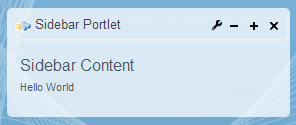
Overview
The Gentics Sidebar Portlets can display content that is attached to the main Content Portlet of a page. The Sidebar Portlets cannot work without one main Content Portlet in a Portal page. The Sidebar Portlet instance is listening to a specific attribute of the main page in order to get the contentId of the page the Sidebar instance should display. See the Parameters in the properties file to configure the Portlet instances.
Additional Features
Versioning functionality in resource serving
To be able to cache the static content in the Browser portlets (content portlet, sidebar portlet), version number should be added in the URLs. This feature will allow turned on and off by a switch of parameter serveResource.version in each portlet instance configuration property file.
The edittimestamp of the files/pages can be fetched from the CRResolvableBean class getString(java.lang.String) method received by the ContentConnector in order to be able to cache the resources in the browser. This functionality is implemented in StandardPortalPLinkReplacer classreplacePLink(com.gentics.api.portalnode.connector.PLinkInformation) method. For detailed implementation information please see the Javadocs
Velocity rendering
Velocity rendering allow to render content using velocity engine. Velocity rendering is switched on and off by switch parameter isvelocityrendered in portlet instance configuration property file. Configuration files are located in the portletsuite-config module at:
For detailed implementation information please see the Javadocs.
Configuration
Configuration file is located in the portletsuite-config module at:
\src\main\resources\config\rest\sidebar{instanceNumber}.properties
The main part of the config are parameters for the Content Connector RequestProcessor of the portlet. You can find documentation for that in the Content Connector Wiki
Parameters in the properties file
| Parameter | Type | Description |
|---|---|---|
| startpage | String | This is the contentId of the startpage of the Content portlet instance. If there is no contentId set by clicking a link or a menu element, the portlet will display this content, e.g. on the first access to a portal page. |
| template | String | This is the path to the template jsp file that should be used to render the content portlet instance in normal display mode. The template file can be anywhere on the server but it recommended to store it in the configuration folder. |
| propertyname | String | This is the property name the portlet instance will listen to. So if the main page displayed by the Gentics Content Portlet has an attribute (defined by a tagmap entry) sidebar1 and the propertyname of this portlet is set to sidebar1, this instance will always display the content page of this attribute. |
| serveResource.version | Boolean (true/false) | please look here for detailed information |
| isvelocityrendered | Boolean (true/false) | please look here for detailed information |
If you are changing the configuration there dont forget to rebuild it and eventually redeploy it to your server as described in the setup guide.
Architecture
Javadocs for Class: BaseSidebarPortlet